
Quick Answer
The best site audit tools help SEO teams find technical, crawl, index, content, internal linking, performance, and AI-readiness issues — but the real value is prioritization. A good tool should not only show a site health score. It should tell your team which issues affect rankings, which pages matter most, which fixes are fast, and where human review is needed before making content or business decisions.
A site audit score is useful, but it is not enough for teams that need action.
- Pick tools that find blockers: crawl, index, redirects, canonicals, broken links, speed, mobile, and schema issues.
- Pick tools that prioritize: critical issues should be separated from low-impact warnings.
- Pick tools that support teams: SEO, content, developers, agencies, and clients need different task views.
- Do not over-automate: tools can detect and group issues, but people should review intent, content quality, and business context.
In This Guide
What Are Site Audit Tools?
Site audit tools are SEO platforms or crawlers that scan a website to find issues affecting crawlability, indexability, technical SEO, internal links, on-page signals, content quality, performance, mobile usability, and search visibility.
Simple definition
Site audit tools help teams find, prioritize, monitor, and fix website issues that affect organic visibility, technical health, user experience, and AI-search readiness.
Why this matters in 2026
Search is more quality-led, AI-assisted, and answer-focused. Pages still need classic SEO foundations, but they also need clear structure, useful answers, entity clarity, internal context, and enough value to earn clicks beyond summaries.
Best Site Audit Tools for Different SEO Workflows
The best tool depends on your team’s workflow. Some tools are stronger for deep crawling, some for all-in-one reporting, some for content and backlink context, and some for client-ready visibility.
| Tool Type | Best For | Watch Out For |
|---|---|---|
| SEOSpyder | Teams that need audit issues grouped by severity, priority, page type, owner, and implementation effort. | Use human review for content quality, search intent, and business-priority decisions. |
| Semrush Site Audit | All-in-one SEO teams that want technical checks, reporting, and broader SEO platform features. | Issue volume can feel large without a team priority system. |
| Ahrefs Site Audit | Teams that want site health checks with backlink and competitive SEO context. | Still needs human review to connect issues with business value. |
| Screaming Frog | Advanced technical SEOs who need deep crawl control, custom extraction, and detailed URL-level analysis. | Powerful crawl data can require expert interpretation. |
| Sitebulb | Technical audits with visual explanations and easier client or stakeholder communication. | Teams still need a fix owner and priority workflow. |
| Google Search Console | Indexing, performance, query, page, and search appearance data directly from Google. | Not a full site crawler or team workflow tool by itself. |
What Site Audit Tools Should Catch
A serious site audit tool should support a full website SEO audit, not just a basic score. Use this table as your buying or evaluation checklist.
| Audit Area | Tool Should Detect | Why It Matters |
|---|---|---|
| Crawlability | Blocked pages, broken internal links, crawl depth, orphan pages, crawl traps, and blocked resources. | Search systems need access before evaluating pages. |
| Indexability | Noindex tags, canonical conflicts, sitemap gaps, soft 404s, duplicate URLs, and redirect chains. | Important pages must be eligible for visibility. |
| Technical SEO | Rendering issues, structured data errors, HTTPS problems, status codes, page speed, mobile usability, and Core Web Vitals signals. | Technical blockers can limit crawling, indexing, usability, and conversion. |
| Content quality | Thin pages, duplicate intent, missing answers, outdated content, weak examples, and low original value. | Useful content supports rankings, clicks, and AI-search trust. |
| AI readiness | Direct answers, entity clarity, semantic coverage, scannable structure, and non-generic value. | Pages need to be easy to understand, retrieve, summarize, and cite. |
Step-by-Step Framework to Choose Site Audit Tools
Use this framework before choosing a tool for an agency, in-house SEO team, technical SEO workflow, or client reporting process.
Start with your audit use case
Are you auditing one website, many client sites, ecommerce templates, JavaScript-heavy pages, SaaS landing pages, or content-heavy blogs? Your use case decides whether you need a crawler, a platform, a reporting tool, or a priority workflow.
Check technical depth
A serious tool should support a technical SEO audit: robots, noindex, canonicals, redirects, rendering, internal links, structured data, speed, mobile usability, and sitemap health.
Look for priority, not only scoring
A site health score is helpful, but teams need priority. The tool should separate critical blockers from low-value warnings and help you decide what to fix first.
Test team handoff
Developers need technical examples. Writers need content gaps. SEO managers need severity and validation. Clients need impact summaries. Choose tools that make handoff easy.
Check content and AI-search readiness
Tools should support content checks that connect with semantic SEO, entity SEO, LLM SEO, and AI content optimization.
Confirm where automation stops
Use SEO automation for detection, monitoring, grouping, and reporting. Keep human review for search intent, content quality, page consolidation, navigation changes, and business-priority decisions.
Priority Fix Order: What Site Audit Tools Should Surface First
The strongest site audit tools help teams move from “what is wrong?” to “what should we fix first?” Use this model when comparing tool output.
| Priority | Tool Should Surface | Why It Matters |
|---|---|---|
| Critical | Noindex on key pages, robots blocks, server errors, canonical errors, broken templates, and sitemap exclusions. | These can directly block crawling, indexing, or visibility. |
| High | Broken internal links to important pages, orphan money pages, mobile rendering issues, slow high-value templates, and redirect chains. | These affect discovery, usability, and ranking potential. |
| Medium | Duplicate titles, schema warnings, missing descriptions, weak FAQs, image alt gaps, and low internal link support. | These improve clarity, CTR potential, and structure. |
| Human Review | Page consolidation, duplicate intent, AI-written content, content rewrites, and navigation changes. | These require SEO judgment and business context. |
What Most Site Audit Tools Miss
Most tools are strong at finding rule-based issues. The gap appears when your team needs context, business value, and a decision.
| Tools Usually Catch | Better Tools Should Help Decide |
|---|---|
| Missing titles, duplicate descriptions, and broken links. | Which affected pages matter most for traffic, leads, or revenue. |
| Thin pages and low word count warnings. | Whether to rewrite, merge, redirect, noindex, or keep the page. |
| Low internal link count and orphan pages. | Which pages deserve more internal authority based on business value. |
| Slow templates and performance warnings. | Which engineering fixes have the strongest SEO and user impact. |
Human review checkpoint
Use automation for detection and monitoring. Use human review for search intent, content quality, page consolidation, AI-written pages, navigation changes, and business-priority decisions.
Common Mistakes When Choosing Site Audit Tools
Mistake 1: Choosing based on the site health score
A score is helpful, but it does not tell you which fixes will protect rankings, traffic, or revenue first.
Mistake 2: Ignoring implementation workflow
SEO managers, developers, writers, clients, and founders need different views. Raw exports slow teams down.
Mistake 3: Treating automation as strategy
Automation helps audits run faster, but it cannot replace content quality review, search intent judgment, and business prioritization.
Mistake 4: Testing tools only on clean websites
Before choosing a tool, test it on messy real sites: redirects, outdated pages, broken templates, duplicate content, and low-performing URLs.
Mistake 5: Forgetting recurring monitoring
SEO issues appear after CMS updates, releases, migrations, content refreshes, and template changes. A good audit workflow should monitor new issues over time.
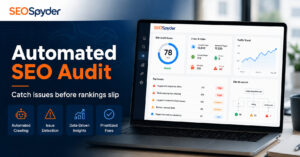
SEOSpyder Audit Dashboard & Issue Priority View Demo
The practical use case for SEOSpyder is to help teams move from “we found issues” to “we know what to fix first.”
SEOSpyder’s Audit Dashboard & Issue Priority View can help teams group site audit findings by severity, affected page type, ranking risk, business value, implementation effort, and owner. That makes audit work easier to execute across SEO, content, development, and agency teams.
| SEOSpyder View | What It Helps With | Why Teams Save Time |
|---|---|---|
| Audit Dashboard | Crawl issues, indexability gaps, metadata problems, link issues, performance flags, and content gaps. | Teams get one clean view instead of scattered exports. |
| Issue Priority View | Severity, affected URLs, page type, ranking risk, implementation effort, and owner. | Teams can fix high-impact issues before low-value warnings. |
| Recurring Monitoring | New errors, reappearing issues, and changes after deployments. | Teams catch problems before they become ranking drops. |
| Team Handoff | Developer, content, SEO, and client-ready issue views. | Each stakeholder sees the fixes relevant to them. |
Use site audit tools that help your team act faster
Use SEOSpyder to audit your site, group issues, prioritize fixes, monitor changes, and help SEO, content, development, and agency teams work from one clear priority view.
For SEO teams, agencies, and website owners needing scalable audit workflows.






No comment yet, add your voice below!