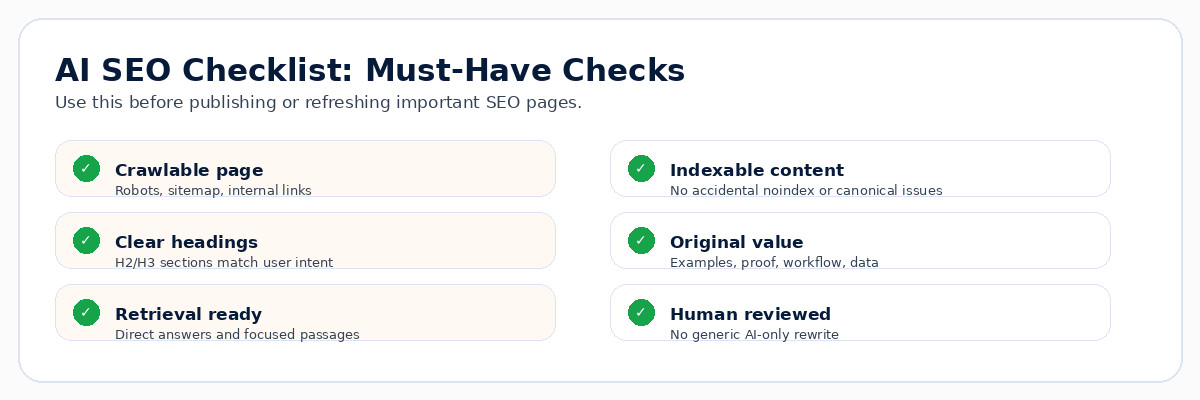
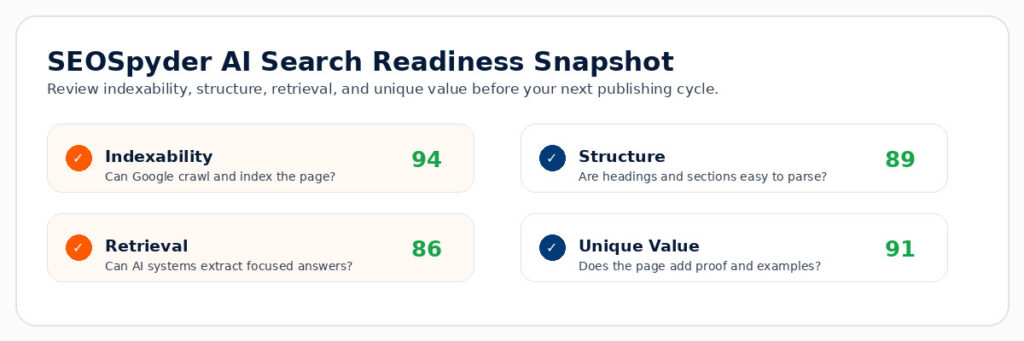
SEO Optimization Checker 2026 | How to Audit a Page Before and After Publishing

SEO Optimization checker
SEOSpyder Guide · SEO Automation & Audits

Direct Answer

An SEO optimization checker helps you audit a page before and after publishing so technical, content, and clickability issues do not reduce performance.

The best checker should review search intent, title tag, meta description, headings, content depth, internal links, schema, indexability, mobile experience, page speed, and AI-search readiness — then show what to fix first.

Before publishing

  • Check intent match
  • Fix title, meta, H1, and headings
  • Add missing sections and internal links
  • Validate schema and indexability

After publishing

  • Track impressions and CTR
  • Check indexing and title display
  • Review rankings and engagement
  • Refresh weak sections with better answers

What Is an SEO Optimization Checker?

An SEO optimization checker is a tool that reviews whether a page is ready for search visibility. It checks on-page SEO, technical SEO, content quality, internal links, performance, mobile usability, schema, and search-intent alignment.
Check Now : technical SEO audit

Simple definition

An SEO optimization checker helps you find page-level problems before publishing and performance gaps after publishing.

SEO Optimization Checker Tools Compared

Different tools check different parts of SEO. For serious publishing workflows, do not rely on one score only. Use a checker that helps you understand what the issue is, why it matters, and what to fix first.

Tool Best For What to Watch
SEOSpyder AI agent-based page audits, issue priority, pre-publish checks, post-publish monitoring, and workflow action lists. Use human review for final content quality, brand voice, and business context.
Semrush SEO Checker Broad SEO checks across on-page, off-page, technical, and performance factors. A score still needs SEO judgment and business prioritization.
Ahrefs Site audit, backlink context, organic keyword opportunities, and competitor analysis. Page-level content improvement still needs editorial review.
Screaming Frog Deep technical crawling, metadata extraction, redirects, canonicals, and site architecture. Great crawl data, but teams need interpretation and prioritization.
SEOptimer / Free checkers Quick snapshot checks for small websites or simple page reviews. May miss deeper intent, technical, and workflow issues.

What an SEO Optimization Checker Should Catch

A strong checker should review the full page experience, not just title length or keyword density. Use this table as your audit checklist.

Audit Area Checker Should Find Why It Matters
Search intent Wrong format, missing answers, weak user fit, or unclear page purpose. A technically perfect page can still fail if it answers the wrong need.
On-page SEO Title, meta description, H1, headings, image alt text, and content structure issues. These improve relevance, readability, and CTR potential.
Technical SEO Noindex, canonicals, broken links, redirects, schema errors, page speed, and mobile issues. Search engines and users need the page to be accessible and usable.
Content quality Thin sections, missing examples, outdated claims, weak proof, or generic AI-style content. Helpful, unique content is harder to replace and more useful for users.
Internal links Missing contextual links, orphan pages, weak next-step paths, or forced links. Internal links guide users and help search engines understand page relationships.

Step-by-Step SEO Optimization Checker Framework

1

Run a pre-publish page check

Before publishing, check title tag, meta description, H1, heading flow, URL slug, search intent, content gaps, schema, image alt text, internal links, and indexability.

2

Validate technical readiness

Make sure the page is crawlable, indexable, canonicalized correctly, mobile-friendly, fast enough, and free from broken links. For deeper checks, use a technical SEO audit.

3

Check if the content deserves to rank

Review whether the page gives users a direct answer, clear steps, examples, original insight, and better usefulness than competing results. If not, improve the page before pushing it live.

4

Run a post-publish performance check

After publishing, track indexing, impressions, average position, CTR, engagement, conversions, and whether the displayed title matches your intended title.

5

Refresh based on real gaps

Use performance data to update titles, intros, FAQs, examples, internal links, schema, and missing sections. Connect this workflow with an automated SEO audit so issues do not return silently.

Priority Fix Order: What to Fix First

A good SEO checker should help you prioritize. Do not fix low-impact warnings before ranking blockers.

Priority Fix These First Why
Critical Noindex, wrong canonical, blocked page, broken template, missing title, or wrong intent. These can stop the page from performing at all.
High Weak title, low CTR, missing answer, thin content, broken internal links, or slow mobile page. These affect relevance, clicks, and user experience.
Medium Missing FAQs, weak image alt text, low internal link support, or schema warnings. These improve clarity, structure, and discoverability.
Review Brand claims, legal/medical content, page consolidation, or strategic rewrites. These need human judgment, not blind automation.

Common SEO Optimization Checker Mistakes

Mistake 1: Trusting only the score

A high score does not always mean the page matches intent or deserves clicks.

Mistake 2: Checking only before publishing

Post-publish data shows what users and search systems actually do with the page.

Mistake 3: Ignoring internal links

A useful page can still underperform if it is orphaned or poorly connected.

Mistake 4: Automating final judgment

Automation can find issues, but humans should approve quality, accuracy, positioning, and brand fit.

SEOSpyder AI Agent Audit Demo

The practical use case for SEOSpyder AI Agents is to help SEO teams audit pages before and after publishing without relying on manual checklists alone.

SEOSpyder Agent View What It Checks Why It Helps
Pre-publish audit Title, meta, H1, headings, intent, schema, internal links, and indexability. Catches issues before the page goes live.
Post-publish audit Indexing, CTR, impressions, page gaps, title display, and engagement signals. Shows what to improve based on real performance.
Issue priority Critical blockers, high-impact fixes, medium improvements, and human-review tasks. Keeps teams focused on actions that matter first.
Workflow tracking Owner, status, issue type, page group, and recurring checks. Turns SEO audits into repeatable publishing operations.

Audit every page before and after publishing

Use SEOSpyder AI Agents to check on-page SEO, technical issues, content gaps, internal links, search intent, and post-publish performance before issues affect visibility.

Try SEOSpyder Free →

Frequently Asked Questions

What is an SEO optimization checker?

An SEO optimization checker is a tool that reviews a page for search intent, on-page SEO, technical SEO, content quality, internal links, performance, schema, and indexability issues.

Should I use an SEO checker before or after publishing?

Use it both before and after publishing. Pre-publish checks catch technical and content issues early, while post-publish checks reveal indexing, CTR, ranking, and engagement gaps.

What should an SEO optimization checker audit?

It should audit title tags, meta descriptions, headings, content gaps, search intent, internal links, schema, indexability, page speed, mobile usability, and technical issues.

Are free SEO optimization checkers enough?

Free checkers can be useful for quick snapshots, but teams often need deeper issue priority, workflow tracking, recurring checks, and human review for content quality and strategy.

How can SEOSpyder help as an SEO optimization checker?

SEOSpyder AI Agents can help audit pages before and after publishing, detect SEO issues, prioritize fixes, monitor performance, and turn audits into repeatable workflows

Title Tag Optimization in 2026 | How to Improve Relevance and CTR Together

Title tag Optimization
SEOSpyder Guide · Technical SEO & Recovery

Direct Answer

Title tag optimization means writing page titles that clearly match search intent and make users want to click.

In 2026, the best title tags are not just keyword-first. They are accurate, specific, unique, page-matched, CTR-focused, and technically consistent with the H1, content, canonical page, and search intent. A good title helps Google understand the page and helps users choose your result.

Fix first

Missing, duplicate, rewritten, too vague, or mismatched titles.

Improve CTR

Add clear intent, benefit, specificity, freshness, and page value.

Check technically

Validate templates, canonicals, JavaScript rendering, and indexable pages.

What Is Title Tag Optimization?

Title tag optimization is the process of improving the HTML title of a page so it clearly describes the page, matches search intent, includes the main topic naturally, and encourages qualified users to click from search results.

Simple definition

A title tag tells search engines what the page is about and gives users a reason to choose your result over competing results.

A title tag is often confused with the H1. The title tag appears in the page’s HTML and can influence the clickable title shown in search results. The H1 appears on the page itself. They should support the same intent, but they do not need to be identical.

Why Title Tag Optimization Matters in 2026

After major quality-focused updates, title tags matter because they set the first expectation for users. A page can have useful content but still lose clicks if the title is vague, duplicated, overstuffed, or misaligned with search intent.

Relevance signal

A clear title helps match the page to the query, topic, and user expectation.

CTR signal

A specific title can improve clickability by showing users the page solves their exact problem.

Recovery signal

During recovery work, title fixes can reveal whether pages are targeting the wrong intent or competing with each other.

Common Title Tag Failure Patterns

Most title problems are easy to detect but often ignored because teams only look at rankings. Use an on-page SEO audit to review titles together with intent, headings, content quality, and internal links.

Failure Pattern What It Looks Like Why It Hurts
Duplicate titles Many pages use the same title template or same keyword phrase. Search engines and users cannot tell pages apart clearly.
Keyword stuffing Title repeats similar terms without a useful promise. Looks spammy and weakens click appeal.
Vague title “Home,” “Services,” “Blog,” “Solutions,” or generic product names. Users do not know what value the page offers.
Intent mismatch Title promises a guide, but page is a product page, or title promises a tool, but page is a blog. Creates poor expectations and weak engagement.
Template issue CMS or JavaScript creates wrong, missing, or outdated titles at scale. Can affect many pages before teams notice.

How to Diagnose Title Tag Problems

Title tag optimization should be diagnosed with crawl data, search performance data, and page-level review. Do not rewrite every title randomly.

1

Crawl the site for title issues

Find missing, duplicate, too-long, too-short, boilerplate-heavy, or inconsistent titles. This belongs inside a broader technical SEO audit.

2

Compare title, H1, and search intent

Check whether the title, H1, intro, headings, and content all support the same query and user need. If not, the title may be attracting the wrong click.

3

Find high-impression, low-CTR pages

These pages are strong candidates for title testing because users are seeing the result but not choosing it. Review query intent before changing the title.

4

Check whether Google rewrites the title

If the shown title differs from your HTML title, inspect whether the title is too generic, stuffed, outdated, duplicated, or mismatched with visible page content.

What to Fix First in Title Tag Optimization

Prioritize title fixes by visibility risk and business impact. A low-value archive page with a weak title is less urgent than a revenue page, category page, service page, or recovery page with high impressions and poor CTR.

Priority Fix Best For
Critical Missing, duplicate, wrong, or CMS-generated titles on indexable pages. Large sites, ecommerce, SaaS, directories, and programmatic pages.
High High-impression pages with low CTR or search-intent mismatch. Blog posts, service pages, product pages, and category pages.
Medium Titles that lack specificity, freshness, benefit, or query alignment. Content refreshes and recovery-focused updates.
Review Pages where title change may affect brand, legal, medical, or conversion messaging. YMYL pages, healthcare, finance, legal, and branded landing pages.

Title Tag Examples: Weak vs Better

A strong title is specific, useful, and honest. It should not promise something the page does not deliver.

Page Type Weak Title Better Title
Audit guide SEO Audit SEO Audit Checklist: Fix Critical Site Issues First
Ecommerce category Shoes Online Running Shoes for Men: Lightweight, Cushioned & Durable
SaaS feature Automation Software SEO Automation Software for Audits, Reports & Fix Tracking
Technical SEO Technical SEO Guide Technical SEO Audit: Checks That Matter After 2026 Changes

Technical Checks Before Changing Titles at Scale

Before making large title changes, confirm the technical setup. If your templates, canonicals, rendering, or indexing rules are wrong, title rewrites alone will not solve the problem.

Template logic

Check whether page type, category, location, product, or blog templates generate correct titles.

Canonical alignment

Make sure the title belongs to the canonical version of the page, not a duplicate or filtered URL.

JavaScript rendering

If titles are injected or changed with JavaScript, validate what crawlers and users actually see.

Structured data consistency

Keep titles, headings, breadcrumbs, schema, and visible content aligned with the same page topic.

For larger sites, this should connect with your SEO audit checklist, website SEO audit, and automated SEO audit workflow so title issues are monitored continuously, not fixed once and forgotten.

Common Title Tag Optimization Mistakes

Mistake 1: Writing for bots only

A title should include the topic, but it also needs a clear reason for humans to click.

Mistake 2: Changing every title at once

Prioritize high-value pages first and track CTR, impressions, average position, and conversions after changes.

Mistake 3: Ignoring page content

If the page does not deliver the promise, a better title may increase clicks but weaken engagement.

Mistake 4: Forgetting page type

A blog title, SaaS feature title, ecommerce category title, and audit guide title should not follow the same formula.

SEOSpyder Technical Issue Tracker and Recovery View Use Case

The practical use case for SEOSpyder is helping teams find title tag problems, group them by page type, and prioritize fixes for recovery and CTR improvement.

Recovery View Area What It Reveals Why It Helps
Title issue grouping Missing, duplicate, rewritten, vague, or template-generated title problems. Helps teams fix repeatable title issues faster.
CTR opportunity view High-impression pages with weak click performance. Shows where title changes may improve traffic quality.
Recovery tracking Pages affected after updates, migrations, template changes, or content refreshes. Connects title fixes with broader recovery work.
Technical validation Canonical, indexability, JavaScript, structured data, and page template inconsistencies. Prevents teams from fixing titles while missing the real technical issue.

Find title issues that are hurting relevance and CTR

Use SEOSpyder Technical Issue Tracker and Recovery View to detect title tag issues, prioritize high-impact fixes, monitor recovery pages, and validate technical SEO signals.

Try SEOSpyder Recovery View →

Frequently Asked Questions

What is title tag optimization?

Title tag optimization is the process of improving the HTML title of a page so it matches search intent, explains the page clearly, and encourages users to click from search results.

How long should a title tag be in 2026?

There is no fixed perfect length, but most SEO teams keep titles concise, clear, and front-loaded with the main topic. The title should be readable and useful, not cut to an exact character count at the cost of clarity.

Why does Google rewrite title tags?

Google may show a different title when the HTML title is too generic, duplicated, stuffed, outdated, missing, or not aligned with the visible page content and query context.

Can title tag optimization improve CTR?

Yes, especially on high-impression pages where the current title is vague, mismatched, duplicated, or not showing a clear user benefit. Track CTR and conversions after changes.

How can SEOSpyder help with title tag optimization?

SEOSpyder can help teams detect missing, duplicate, weak, rewritten, or template-generated title issues and prioritize fixes using Technical Issue Tracker and Recovery View

Medical SEO 2026 | What Makes Healthcare Pages Competitive and Credible

Medical SEO
SEOSpyder Guide · Healthcare SEO

Direct Answer

Medical SEO helps healthcare pages rank by making them accurate, trustworthy, locally relevant, and easy for patients to understand.

A competitive healthcare page needs more than keywords. It should show who reviewed the content, what service is offered, where care is available, when patients should seek professional help, what the next step is, and why the clinic or provider can be trusted.

Trust first

Medical reviewer, credentials, sources, dates, and clear disclaimers.

Patient clarity

Symptoms, treatment options, expectations, risks, and next steps.

Local proof

Location pages, GBP, reviews, provider pages, and service-area relevance.

What Is Medical SEO?

Medical SEO is the process of optimizing healthcare websites so patients can find trustworthy, accurate, and useful medical information through search. It includes service pages, provider profiles, location pages, condition guides, treatment pages, reviews, Google Business Profile optimization, local SEO, technical SEO, and compliance-aware content publishing.

Simple definition

Medical SEO helps clinics, hospitals, doctors, and healthcare brands create pages that search engines can understand and patients can trust.

Healthcare SEO Landscape in 2026

Healthcare SEO is more sensitive than normal content SEO because medical information can affect patient decisions. A page about a symptom, treatment, medicine, surgery, diagnosis, or clinic service must be clear, accurate, reviewed, and responsible.

Trust decides competitiveness

Pages need provider proof, medical review, clear dates, accurate claims, and patient-first explanations.

Local intent is high value

Patients often search for doctors, clinics, treatments, and appointments near them.

AI search needs clarity

Clear definitions, direct answers, FAQs, structured sections, and expert context make pages easier to understand.

E-E-A-T Requirements for Healthcare Pages

For healthcare content, E-E-A-T should be visible on the page. Do not hide trust signals in the footer. Patients and search systems both need to understand why the page is reliable.

Trust Layer What to Add Why It Matters
Experience Provider experience, clinic examples, patient journey details, and real service context. Shows the page is grounded in practical healthcare delivery.
Expertise Medical reviewer, qualifications, specialization, and review process. Patients need to know qualified people reviewed the information.
Authority Provider profiles, clinic credentials, awards, hospital affiliations, and recognized references. Supports credibility in a high-trust vertical.
Trust Updated dates, sources, disclaimers, contact details, privacy policy, and appointment options. Makes the page safer, clearer, and more responsible for patients.

Compliance-Aware Medical SEO Checklist

Medical SEO should improve visibility without creating risk. Use this checklist before publishing healthcare pages.

Medical review

Add reviewer name, role, credentials, and last-reviewed date where needed.

No risky claims

Avoid guaranteed results, exaggerated outcomes, or unsupported treatment claims.

Patient safety

Explain when users should consult a medical professional or seek urgent care.

Privacy and trust

Make appointment forms, privacy policy, consent language, and contact details clear.

Local Visibility for Clinics and Healthcare Practices

Many medical SEO searches are local. A patient may search “dermatologist near me,” “dental clinic in Jaipur,” “physiotherapy clinic near me,” or “ENT doctor open today.” Your website, Google Business Profile, reviews, and location pages should support the same local story.

Local SEO Area What to Optimize Helpful Internal Reference
Google Business Profile Primary category, services, hours, appointment link, photos, questions, and updates. Near me SEO
Reviews Review freshness, response quality, provider mentions, service mentions, and patient trust themes. Google reviews SEO
Location pages Address, doctors, services, parking, insurance, local FAQs, reviews, and appointment CTA. Website SEO audit
Technical health Mobile speed, indexability, schema, broken links, redirects, and appointment form usability. Technical SEO audit

Patient-First Medical Content Strategy

Medical content should help patients understand symptoms, services, treatment options, risks, preparation, recovery, cost factors, appointment steps, and when to contact a provider. Keep the writing simple, but do not remove important medical nuance.

1

Create service pages for real patient intent

Each service page should explain who the treatment is for, symptoms addressed, consultation process, treatment approach, risks, recovery, FAQs, and appointment next step.

2

Build provider pages that show expertise

Add qualifications, specializations, years of experience, clinic location, appointment availability, languages, memberships, and patient-care focus.

3

Use content clusters without giving unsafe advice

Create symptom guides, treatment explainers, preparation pages, recovery FAQs, and local service pages. Use an on-page SEO audit to find gaps without turning content into keyword stuffing.

4

Audit regularly because trust can decay

Healthcare pages become risky when doctors change, treatments update, clinic hours change, old claims remain, or appointment links break. Use an SEO audit checklist and automated SEO audit workflow for recurring checks.

Common Medical SEO Mistakes

Mistake 1: Publishing health advice without review

Medical pages should be reviewed by qualified people, especially when they discuss symptoms, risks, treatments, or diagnosis.

Mistake 2: Making every page sound like a sales page

Patients need clear information before they book. Explain benefits, limits, risks, and next steps responsibly.

Mistake 3: Ignoring local proof

Healthcare decisions are often local. Add location details, provider availability, reviews, directions, and appointment options.

Mistake 4: Using generic AI content

Generic medical content is risky and weak. Add provider insight, local context, medical review, and patient-specific clarity.

SEOSpyder Healthcare SEO Compliance Snapshot Use Case

The practical use case for SEOSpyder Healthcare SEO Compliance Snapshot is to help clinics, healthcare marketers, and agencies find gaps that affect trust, discoverability, and patient conversion.

Snapshot Area What It Reveals Why It Helps
Medical trust gaps Missing reviewer, weak credentials, no updated date, unsupported claims, or unclear sources. Improves credibility for healthcare pages.
Provider and service gaps Thin provider bios, weak service pages, missing appointment CTAs, and unclear care pathways. Helps patients understand who can help and how to book.
Local healthcare visibility GBP gaps, review gaps, location-page gaps, citation mismatch, and weak local signals. Strengthens local patient discovery.
Technical and content audit Broken links, outdated pages, index issues, duplicate content, slow mobile pages, and thin FAQs. Keeps healthcare SEO safe, current, and usable.

Find healthcare SEO gaps before patients lose trust

Use SEOSpyder Healthcare SEO Compliance Snapshot to review medical trust signals, provider pages, service pages, local visibility, technical health, and compliance-aware content gaps.

Try SEOSpyder Healthcare SEO Compliance Snapshot →

Frequently Asked Questions

What is medical SEO?

Medical SEO is the process of optimizing healthcare websites so patients can find accurate, trustworthy, locally relevant, and useful medical information through search.

Why is E-E-A-T important for healthcare SEO?

E-E-A-T is important because healthcare content can influence patient decisions. Pages should show expertise, reviewer credentials, trust signals, updated information, and responsible medical guidance.

What should a medical service page include?

A medical service page should include the condition or treatment explanation, who it is for, symptoms, process, risks, recovery, provider details, location, FAQs, and appointment CTA.

How does local SEO help clinics?

Local SEO helps clinics appear for nearby patient searches by improving Google Business Profile quality, reviews, service pages, location pages, citations, and local trust signals.

How can SEOSpyder help with healthcare SEO?

SEOSpyder Healthcare SEO Compliance Snapshot can help teams find medical trust gaps, provider-page gaps, service-page issues, local visibility weaknesses, and technical SEO problems across healthcare websites.


On-Page SEO in 2026 | What Actually Improves Relevance and Clickability

On Page SEO
SEOSpyder Guide · Content Optimization & Strategy

Direct Answer

On-page SEO in 2026 is about making every page easier to understand, more useful to users, and more clickable in search.

It is no longer just title tags, headings, and keyword placement. Strong on-page SEO now connects search intent, topic clusters, content structure, unique insight, internal links, refresh cadence, and AI-search readability so users can quickly find what they came for.

Relevance

Match the page to the exact user problem and search intent.

Clickability

Make the title, intro, answer, and sections worth clicking.

Content depth

Add examples, proof, FAQs, internal links, and original value.

What Is On-Page SEO?

On-page SEO is the process of improving the content, structure, HTML signals, internal links, and user experience of a page so it can better satisfy search intent and earn more clicks from search results.
Check this : on-page SEO audit

Simple definition

On-page SEO helps search engines understand your page and helps users quickly decide that your page is worth reading, clicking, trusting, and acting on.

The 2026 On-Page SEO Framework

Use this framework before publishing a new page or refreshing an old one. It keeps the page focused on user intent, not just keyword usage.

Framework Layer What to Improve Why It Helps
Intent mapping Define whether the user wants a definition, steps, checklist, comparison, tool, example, or decision help. Stops you from writing the wrong page format.
Topic clustering Connect the page to related guides, audits, tools, and supporting topics. Builds topical depth and easier navigation.
Brief creation Plan headings, examples, FAQs, internal links, proof points, and user questions before writing. Prevents generic, thin, or repetitive content.
Page structure Use a direct answer, short sections, tables, bullets, examples, and clear H2/H3 headings. Improves readability, AI extraction, and user satisfaction.
Refresh cadence Update pages when search intent, product features, SERPs, examples, or internal links change. Keeps the page accurate and competitive.

Step-by-Step On-Page SEO Implementation

1

Start with the user’s real task

Before writing, decide what the user is trying to do: learn a concept, fix a page, compare tools, run an audit, build a strategy, or choose a next step. This is the foundation of search intent SEO.

2

Create a useful page brief

Include the main query, secondary questions, SERP format, missing subtopics, examples, proof points, FAQs, internal links, and CTA. For deeper page-level reviews, use an on-page SEO audit.

3

Make the first screen helpful

Avoid long introductions. Open with the answer, the framework, or a quick checklist. Users should immediately know they are in the right place.

4

Add unique insight and proof

Add examples, screenshots, product context, data, workflows, decision tables, expert notes, or original observations. This keeps the page from becoming generic AI-style content.

5

Link to the next useful page

Use internal links to guide users naturally. For example, connect audit-related pages to your SEO audit checklist, website SEO audit, or SEO automation guide when those help the reader’s next step.

On-Page SEO Checklist for 2026

Check What Good Looks Like Priority
Intent match The page format matches what users expect from the query. Critical
Title and meta Clear, specific, click-worthy, and aligned with the page promise. High
Content structure Direct answer, clear H2s, short sections, tables, examples, FAQs, and summaries. High
Topical coverage The page covers the core topic, related questions, examples, and next-step decisions. Medium
Internal links Links help the user move to a deeper audit, tool, strategy, or related topic. Medium

Common On-Page SEO Mistakes to Avoid

Mistake 1: Writing a long intro

Users want the answer fast. Start with the result, checklist, or framework.

Mistake 2: Optimizing only for keywords

Keywords help, but relevance comes from intent, structure, examples, entities, and usefulness.

Mistake 3: Ignoring old pages

Refresh pages when search intent changes, internal links break, examples age, or competitors improve.

Mistake 4: Adding forced internal links

Internal links should support the user journey. Add only the links that make the next step easier.

SEOSpyder Content Gap and Topical Map Snapshot Use Case

The practical use case for SEOSpyder is helping content teams see where pages are weak, where topics are missing, and where internal links can improve relevance.

Snapshot Area What It Reveals Why It Helps
Content gaps Missing subtopics, weak answers, thin sections, and outdated examples. Helps improve relevance before publishing or refreshing.
Topical map How related pages connect across audits, SaaS, ecommerce, local SEO, and strategy topics. Builds clearer clusters and avoids random blog publishing.
Internal link opportunities Pages that should connect naturally, such as SaaS keyword research, category page SEO, and near me SEO. Improves user paths and topical relationships.
Audit signals Pages that need a deeper technical SEO audit, site audit tools comparison, or automated SEO audit workflow. Shows when content issues are connected to technical or workflow issues.

Find the content gaps holding your pages back

Use SEOSpyder Content Gap and Topical Map Snapshot to improve page relevance, internal links, topic coverage, refresh priorities, and click-focused content structure.

Try SEOSpyder Content Gap Snapshot →

Frequently Asked Questions

What is on-page SEO?

On-page SEO is the process of improving a page’s content, structure, HTML signals, internal links, and user experience so it better matches search intent and earns more clicks.

What improves on-page SEO in 2026?

The biggest improvements come from intent mapping, clear page structure, unique insight, useful examples, internal linking, topic coverage, and regular content refreshes.

Is keyword placement still important for on-page SEO?

Yes, but keyword placement is only one part. Pages also need strong intent match, helpful structure, natural language, related topics, examples, and clear next steps.

How often should on-page SEO content be refreshed?

Refresh content when rankings drop, search intent changes, SERP formats shift, product details change, examples become outdated, or internal links need improvement.

How can SEOSpyder help with on-page SEO?

SEOSpyder can help content teams find content gaps, weak topic coverage, internal link opportunities, refresh priorities, and pages that need deeper SEO audits.

Google Reviews SEO 2026 | How Review Signals Support Local Discovery and Trust

Google Review SEO
SEOSpyder Guide · Local SEO & Google Business Profile

Direct Answer

Google Reviews SEO means using reviews to improve local trust, relevance, and customer confidence.

Reviews can support local discovery when they are real, fresh, service-specific, and connected with a complete Google Business Profile, consistent citations, helpful local pages, and strong service-area signals. The goal is not to manipulate reviews. The goal is to earn trust and make it easier for local customers to choose you.

Discovery signal

Reviews help show local relevance, trust, and prominence.

Conversion signal

Customers use reviews before calling, booking, or visiting.

Quality signal

Review text can reveal services, locations, staff, and real outcomes.

What Is Google Reviews SEO?

Google Reviews SEO is the process of earning, managing, responding to, and using Google reviews in a way that supports local visibility and customer trust. It is part of local SEO because reviews influence how people judge your business and how complete your local trust signals look across Google Business Profile, website pages, citations, and service-area content.

Simple definition

Google reviews help local customers and search systems understand whether your business is active, trusted, relevant, and worth contacting.

Local Search Landscape in 2026: Why Reviews Matter

Local search is now more trust-led and action-led. A user searching for a dentist, cafe, salon, lawyer, agency, repair service, or clinic usually wants proof before they click. Reviews provide that proof when they mention real services, locations, staff behavior, response time, product quality, and customer outcomes.

Customers trust proof

Review details help users decide whether to call, visit, book, or compare another business.

Profiles need freshness

Fresh reviews and owner responses show that the business is active and customer-aware.

AI search needs clarity

Clear business details, service pages, reviews, and local proof make your business easier to understand.

Key Review Signals That Support Local SEO

Reviews are strongest when they support real local trust. Do not focus only on the average star rating. Look at the full review profile.

Review Signal What It Shows What to Improve
Review volume How many customers have shared public feedback. Build a steady review request process after real customer interactions.
Review score Overall satisfaction and trust level. Fix service issues before asking for more reviews.
Review freshness Whether customers are still actively choosing the business. Ask consistently instead of doing one review campaign per year.
Review text Services, locations, staff, product quality, and customer outcomes. Ask customers to describe their real experience naturally.
Owner responses How actively the business listens and solves problems. Reply professionally to positive and negative reviews.

Step-by-Step Google Reviews SEO Guide

1

Fix the customer experience first

Reviews are not a shortcut. If customers complain about delays, pricing confusion, poor communication, or weak service quality, fix those issues before asking for more reviews.

2

Ask at the right moment

The best time to request a review is after a successful service, delivery, consultation, visit, repair, project, booking, or purchase. Keep the request simple and honest.

3

Encourage useful, natural detail

Do not tell customers what to write. Instead, ask them to share what service they used, what problem was solved, and what they liked about the experience.

4

Respond like a real business

Thank positive reviewers, address negative reviews calmly, mention the service when natural, and show that your team cares about solving problems.

5

Connect reviews with local pages

Use review themes to improve service pages, FAQs, location pages, and trust sections. For example, if customers praise emergency response, same-day delivery, or friendly staff, make those strengths visible on your website.

Google Business Profile Optimization for Review Trust

Reviews work best when your Google Business Profile is complete and active. A strong profile helps users connect the review experience with accurate business information.

Complete categories

Choose the most accurate primary category and add relevant secondary categories.

Service details

Add services, products, service areas, hours, photos, booking links, and contact options.

Review response system

Reply to reviews consistently with helpful, human, and service-aware responses.

Citation Strategy: Keep Review Trust Consistent

Citations support review trust by confirming that your business name, address, phone number, website, category, and service area are consistent across local directories, industry platforms, maps, and social profiles.

NAP consistency

Keep business name, address, and phone consistent.

Category match

Use accurate categories across trusted listings.

Duplicate cleanup

Remove or correct outdated and duplicate listings.

Common Google Reviews SEO Mistakes

Mistake 1: Asking only when rankings drop

Review generation should be a normal customer process, not a panic campaign.

Mistake 2: Ignoring negative reviews

A calm, helpful response can protect trust and show future customers how you handle problems.

Mistake 3: Using fake or forced reviews

Fake review activity can damage trust and create long-term risk for the business.

Mistake 4: Not using review insights

Reviews reveal real customer language that can improve service pages, FAQs, and local landing pages.

SEOSpyder Local Visibility and GBP Audit Snapshot Use Case

The practical use case for SEOSpyder Local Visibility and GBP Audit Snapshot is to help local teams understand how review signals connect with GBP health, website relevance, citations, and service-area visibility.

Snapshot Area What It Reveals Why It Helps
Review health Review freshness, response gaps, service mentions, sentiment, and trust patterns. Shows where review trust is strong or weak.
GBP completeness Missing services, weak categories, outdated photos, incomplete hours, or profile gaps. Improves local relevance and user confidence.
Website trust signals Missing testimonials, weak service pages, thin location pages, and unclear CTAs. Connects review proof with local conversion paths.
Citation consistency NAP mismatches, duplicate listings, and wrong categories across directories. Supports a cleaner local business identity.

Find review gaps that limit local trust

Use SEOSpyder Local Visibility and GBP Audit Snapshot to review Google Business Profile health, review signals, website trust, citations, local pages, and service-area relevance.

Try SEOSpyder Local Visibility and GBP Audit Snapshot →

Frequently Asked Questions

What is Google Reviews SEO?

Google Reviews SEO is the process of earning, managing, and responding to Google reviews in a way that supports local visibility, trust, and customer decision-making.

Do Google reviews help local SEO?

Yes. Reviews can support local SEO because they contribute to trust, prominence, customer engagement, and business credibility in local search journeys.

What type of reviews are best for local SEO?

The best reviews are genuine, recent, detailed, service-specific, and written by real customers who describe their actual experience naturally.

Should businesses reply to Google reviews?

Yes. Replying to reviews shows that the business is active, professional, and customer-focused. Responses should be helpful, natural, and specific where appropriate.

How can SEOSpyder help with Google reviews SEO?

SEOSpyder Local Visibility and GBP Audit Snapshot can help local teams review review health, GBP completeness, website trust signals, citation consistency, and service-area relevance.


Near Me SEO 2026 | How to Capture High-Intent Local Searches Without Over-Optimizing

Near Me SEO
SEOSpyder Guide · Local SEO & Google Business Profile

Direct Answer

Near me SEO helps your business appear when nearby customers search with local buying intent.

It works by improving your Google Business Profile, website location signals, reviews, citations, local landing pages, service-area relevance, and mobile experience. The goal is not to stuff “near me” everywhere. The goal is to prove that your business is relevant, nearby, trusted, and useful for the local searcher.

Main ranking signals

Relevance, distance, prominence, reviews, and local trust.

Do not overdo

Avoid fake city pages, keyword stuffing, and repeated “near me” text.

Best pages to improve

Homepage, service pages, location pages, contact page, and GBP.

What Is Near Me SEO?

Near me SEO is the process of improving your local search visibility for searches like “dentist near me,” “best cafe near me,” “AC repair near me,” or “digital marketing agency near me.” These searches usually come from people who are ready to call, visit, book, or compare local options.

Simple definition

Near me SEO helps Google and customers understand what your business does, where it serves, why it is trusted, and when it is the right local result.

Why Near Me SEO Matters After Google’s 2026 Search Changes

Local search is no longer only about putting a city name on a page. Google needs stronger evidence that your business is real, relevant, nearby, and trusted. AI-led search also increases the need for clear business information, useful local content, and consistent signals across your website and Google Business Profile.

High intent

Near me searches often happen when users are close to calling, visiting, booking, or requesting a quote.

Quality matters

Thin location pages, fake city pages, and keyword-stuffed content can weaken trust.

Local proof wins

Reviews, photos, service details, local pages, citations, and fresh profile updates build stronger visibility.

The Near Me SEO System: What Works Together

Near me SEO works best when your website, Google Business Profile, citations, reviews, and local landing pages all support the same local story.

Local SEO Element What It Should Prove What to Check
Google Business Profile Business category, service, location, hours, trust, and activity. Categories, services, photos, reviews, hours, posts, products, and Q&A.
Website Who you serve, what you offer, and where you operate. Service pages, location pages, contact details, local schema, mobile speed.
Reviews Real customer experience and prominence. Review quality, freshness, response rate, service mentions, location mentions.
Citations Consistent business identity across trusted directories. Name, address, phone, website, category, and duplicate listings.
Local landing pages Specific relevance for each location or service area. Unique local proof, service details, FAQs, directions, photos, and CTAs.

Step-by-Step Near Me SEO Guide

1

Optimize your Google Business Profile first

Choose the most accurate primary category, add services, update hours, upload real photos, answer questions, add products or services, and respond to reviews. Incomplete profiles make local trust weaker.

2

Make your website location signals clear

Add your city, service area, address if relevant, phone number, opening hours, service details, directions, and local proof on important pages. Keep the copy natural instead of repeating “near me.”

3

Create useful service and location pages

Each page should explain the service, who it helps, the area served, proof of work, FAQs, pricing or booking context, and a clear CTA. Avoid copying the same page for every city.

4

Build review and citation consistency

Ask real customers for honest reviews, respond professionally, and keep business information consistent across directories, local platforms, social profiles, and industry listings.

5

Track calls, clicks, routes, and local rankings

Near me SEO should be measured by more than rankings. Track calls, website clicks, direction requests, bookings, form fills, and visibility by service area.

Common Near Me SEO Mistakes

Mistake 1: Stuffing “near me” everywhere

Users search “near me,” but your page should use natural local language, not repeated keyword stuffing.

Mistake 2: Creating duplicate city pages

Thin pages with only the city name changed can look low-value and fail to help real local users.

Mistake 3: Ignoring GBP activity

Outdated hours, missing services, old photos, and unanswered reviews can weaken local trust.

Mistake 4: Tracking only rankings

Track calls, directions, bookings, quote requests, and website clicks to understand real local impact.

SEOSpyder Local Visibility and GBP Audit Snapshot Use Case

The practical use case for SEOSpyder Local Visibility and GBP Audit Snapshot is to help local teams see which signals are helping or limiting local discovery.

Snapshot Area What It Reveals Why It Helps
GBP health Category, services, hours, photos, reviews, and profile completeness gaps. Improves local trust and profile relevance.
Website signals Weak service pages, missing local proof, poor mobile UX, and unclear contact signals. Connects the website with local search intent.
Review signals Review freshness, response gaps, service mentions, and trust patterns. Helps improve prominence and conversion confidence.
Service-area relevance Thin local pages, duplicate city pages, weak citations, and missing location context. Helps avoid over-optimization while improving local relevance.

Find what is limiting your local visibility

Use SEOSpyder Local Visibility and GBP Audit Snapshot to review Google Business Profile health, website local signals, reviews, citations, landing pages, and service-area relevance.

Try SEOSpyder Local Visibility and GBP Audit Snapshot →

Frequently Asked Questions

What is near me SEO?

Near me SEO is the process of improving your business visibility for high-intent local searches where users are looking for nearby services, stores, professionals, or places.

Should I add “near me” to every page?

No. Use natural location and service language instead. Google understands local intent, so focus on relevance, distance, prominence, and useful local information.

What matters most for near me rankings?

The most important areas are Google Business Profile quality, business relevance, distance from the searcher, prominence, reviews, website local signals, and citation consistency.

Do service-area businesses need location pages?

Yes, but only when each page is genuinely useful. Add service details, local proof, FAQs, reviews, nearby context, and clear contact options instead of duplicating the same text for every city.

How can SEOSpyder help with near me SEO?

SEOSpyder Local Visibility and GBP Audit Snapshot can help local businesses review GBP health, website local signals, reviews, citations, service-area relevance, and local landing page quality.


SaaS Keyword Research 2026 | How to Map Keywords to Pain Points, Features, and Use Cases


SEOSpyder Guide · SaaS SEO

Direct Answer

SaaS keyword research is not just finding keywords. It is mapping buyer problems to product pages, content clusters, and conversion paths.

The best SaaS keyword strategy connects search terms to pain points, product features, use cases, comparison intent, integration needs, and demo-ready queries. This helps SaaS teams create pages that attract the right users and move them from problem awareness to product evaluation.

Pain keywords

Problems users are trying to solve.

Feature keywords

Product capabilities users search for.

Use-case keywords

Jobs users need the product to perform.

Demo intent

Queries closest to buying or trial signup.

What Is SaaS Keyword Research?

SaaS keyword research is the process of finding and organizing search terms around how buyers discover, understand, compare, and evaluate software. It covers more than blog keywords. It includes homepage positioning, feature pages, solution pages, comparison pages, integration pages, pricing intent, product-led content, and demo-ready searches.

Simple definition

SaaS keyword research helps you decide which pages to create, which existing pages to improve, and how each keyword supports awareness, evaluation, demo, trial, or conversion.

Why SaaS Keyword Research Matters More in 2026

Search is more answer-led and AI-assisted, but SaaS buyers still need product clarity before they convert. That means your keyword strategy should not only chase informational traffic. It should help users understand the category, connect pain to features, compare options, and choose the next step.

Search intent is fragmented

One buyer may search for a problem, a feature, an integration, a comparison, and a demo in the same week.

AI summaries raise the quality bar

Generic SaaS guides are easy to summarize. Specific workflows, examples, and product fit create stronger click value.

Conversion pages need SEO too

Feature, solution, comparison, and demo pages should be discoverable, structured, internally linked, and clear.

Map SaaS Keywords to the Funnel

The best SaaS keyword research starts with a funnel map. This prevents your team from creating too many blog posts and not enough pages that support product discovery and conversion.

Funnel Stage Keyword Type Best Page Type Goal
Awareness Pain point and problem keywords Educational blog, guide, checklist Help users define the problem.
Consideration Feature, use-case, workflow keywords Feature page, solution page, use-case page Connect pain to product capability.
Evaluation Alternatives, comparison, pricing, integration keywords Comparison page, alternative page, integration page Help users compare and shortlist.
Conversion Demo, free trial, product category, best tool keywords Demo page, product page, pricing page Move users to trial, demo, or signup.

Step-by-Step SaaS Keyword Research Workflow

1

Start with buyer pain, not keyword volume

List the problems your SaaS solves: manual work, reporting gaps, slow workflows, compliance risk, poor visibility, team handoff problems, or lost revenue. Then find search terms around each pain point.

2

Convert features into searchable language

Do not rely only on internal product names. Translate features into what buyers search for: “automated reports,” “workflow approval,” “competitor tracking,” “AI content briefs,” or “customer onboarding software.”

3

Build use-case clusters

Group keywords by job-to-be-done: reporting, monitoring, automation, collaboration, lead capture, forecasting, onboarding, analytics, support, or compliance. Each cluster should point to a feature, solution, or demo path.

4

Separate blog keywords from product-page keywords

A “how to” keyword may need a guide. A “software,” “tool,” “platform,” “alternative,” or “best for” keyword may need a feature, comparison, or solution page. Do not force every keyword into a blog post.

5

Prioritize by funnel value and page readiness

Score each keyword by intent, product fit, conversion value, competitive difficulty, current ranking position, and whether the target page is technically ready. For technical checks, connect this with technical SEO for SaaS.

SaaS Keyword Mapping Matrix

Use this matrix to decide where each keyword should live. This keeps your SaaS content strategy focused and prevents keyword cannibalization.

Keyword Signal Example Pattern Best Page
Problem-aware “how to reduce manual reporting” Guide or educational blog
Feature-aware “automated reporting software” Feature page
Use-case aware “reporting tool for agencies” Solution or use-case page
Comparison-aware “tool A vs tool B” or “best alternatives” Comparison page
Demo-ready “book demo reporting software” Demo, pricing, or product page

Common SaaS Keyword Research Mistakes

Mistake 1: Chasing only high-volume keywords

Low-volume feature and comparison keywords often have stronger SaaS buying intent.

Mistake 2: Turning every keyword into a blog

Some keywords need feature pages, solution pages, integrations, comparisons, or pricing support.

Mistake 3: Ignoring product language

Good SaaS SEO connects user language with feature names, product category, use cases, and outcomes.

Mistake 4: Skipping internal links

Blogs should move users toward feature, solution, comparison, and demo pages naturally.

SEOSpyder SaaS Agent Findings Use Case

The practical use case for SEOSpyder SaaS Agent Findings is to help teams identify keyword gaps across pain points, features, use cases, funnel stages, and conversion pages.

Finding Area What It Reveals Why It Helps
Pain-point gaps Problems your buyers search for but your site does not answer clearly. Creates stronger TOFU and MOFU content opportunities.
Feature-page gaps Features with keyword demand but weak or missing landing pages. Improves discoverability for product-led search terms.
Funnel disconnects Blogs that do not link to product, use-case, comparison, or demo pages. Moves users from education to evaluation faster.
AI-search readiness Pages lacking direct answers, entity clarity, semantic coverage, or original value. Makes content easier to understand, retrieve, summarize, and cite.

Map SaaS keywords to pages that actually convert

Use SEOSpyder SaaS Agent Findings to discover keyword gaps across pain points, features, use cases, comparison pages, content clusters, and demo-intent journeys.

Try SEOSpyder SaaS Agent Findings →

Frequently Asked Questions

What is SaaS keyword research?

SaaS keyword research is the process of finding and mapping search terms to buyer pain points, product features, use cases, comparison intent, content clusters, and conversion pages.

How is SaaS keyword research different from normal keyword research?

SaaS keyword research focuses heavily on product discovery, feature demand, use cases, integrations, comparisons, pricing intent, demo intent, and funnel movement, not only informational blog traffic.

Which SaaS keywords should I prioritize first?

Prioritize keywords with strong product fit, clear pain point, feature relevance, conversion value, achievable difficulty, and a target page that can satisfy the intent well.

Should SaaS keywords always become blog posts?

No. Many SaaS keywords should become feature pages, solution pages, comparison pages, integration pages, pricing support pages, or demo-focused pages.

How can SEOSpyder help with SaaS keyword research?

SEOSpyder SaaS Agent Findings can help teams identify keyword gaps across pain points, features, use cases, funnel stages, content clusters, and demo-intent pages.

Best Site Audit Tools for Teams That Need Actionable Priorities, Not Just Scores 2026

Best Site Audit Tools
SEOSpyder Guide · SEO Automation & Audits

Quick Answer

The best site audit tools help SEO teams find technical, crawl, index, content, internal linking, performance, and AI-readiness issues — but the real value is prioritization. A good tool should not only show a site health score. It should tell your team which issues affect rankings, which pages matter most, which fixes are fast, and where human review is needed before making content or business decisions.

A site audit score is useful, but it is not enough for teams that need action.

  • Pick tools that find blockers: crawl, index, redirects, canonicals, broken links, speed, mobile, and schema issues.
  • Pick tools that prioritize: critical issues should be separated from low-impact warnings.
  • Pick tools that support teams: SEO, content, developers, agencies, and clients need different task views.
  • Do not over-automate: tools can detect and group issues, but people should review intent, content quality, and business context.


What Are Site Audit Tools?

Site audit tools are SEO platforms or crawlers that scan a website to find issues affecting crawlability, indexability, technical SEO, internal links, on-page signals, content quality, performance, mobile usability, and search visibility.

Simple definition

Site audit tools help teams find, prioritize, monitor, and fix website issues that affect organic visibility, technical health, user experience, and AI-search readiness.

Why this matters in 2026

Search is more quality-led, AI-assisted, and answer-focused. Pages still need classic SEO foundations, but they also need clear structure, useful answers, entity clarity, internal context, and enough value to earn clicks beyond summaries.


Best Site Audit Tools for Different SEO Workflows

The best tool depends on your team’s workflow. Some tools are stronger for deep crawling, some for all-in-one reporting, some for content and backlink context, and some for client-ready visibility.

Tool Type Best For Watch Out For
SEOSpyder Teams that need audit issues grouped by severity, priority, page type, owner, and implementation effort. Use human review for content quality, search intent, and business-priority decisions.
Semrush Site Audit All-in-one SEO teams that want technical checks, reporting, and broader SEO platform features. Issue volume can feel large without a team priority system.
Ahrefs Site Audit Teams that want site health checks with backlink and competitive SEO context. Still needs human review to connect issues with business value.
Screaming Frog Advanced technical SEOs who need deep crawl control, custom extraction, and detailed URL-level analysis. Powerful crawl data can require expert interpretation.
Sitebulb Technical audits with visual explanations and easier client or stakeholder communication. Teams still need a fix owner and priority workflow.
Google Search Console Indexing, performance, query, page, and search appearance data directly from Google. Not a full site crawler or team workflow tool by itself.

What Site Audit Tools Should Catch

A serious site audit tool should support a full website SEO audit, not just a basic score. Use this table as your buying or evaluation checklist.

Audit Area Tool Should Detect Why It Matters
Crawlability Blocked pages, broken internal links, crawl depth, orphan pages, crawl traps, and blocked resources. Search systems need access before evaluating pages.
Indexability Noindex tags, canonical conflicts, sitemap gaps, soft 404s, duplicate URLs, and redirect chains. Important pages must be eligible for visibility.
Technical SEO Rendering issues, structured data errors, HTTPS problems, status codes, page speed, mobile usability, and Core Web Vitals signals. Technical blockers can limit crawling, indexing, usability, and conversion.
Content quality Thin pages, duplicate intent, missing answers, outdated content, weak examples, and low original value. Useful content supports rankings, clicks, and AI-search trust.
AI readiness Direct answers, entity clarity, semantic coverage, scannable structure, and non-generic value. Pages need to be easy to understand, retrieve, summarize, and cite.

Step-by-Step Framework to Choose Site Audit Tools

Use this framework before choosing a tool for an agency, in-house SEO team, technical SEO workflow, or client reporting process.

1

Start with your audit use case

Are you auditing one website, many client sites, ecommerce templates, JavaScript-heavy pages, SaaS landing pages, or content-heavy blogs? Your use case decides whether you need a crawler, a platform, a reporting tool, or a priority workflow.

2

Check technical depth

A serious tool should support a technical SEO audit: robots, noindex, canonicals, redirects, rendering, internal links, structured data, speed, mobile usability, and sitemap health.

3

Look for priority, not only scoring

A site health score is helpful, but teams need priority. The tool should separate critical blockers from low-value warnings and help you decide what to fix first.

4

Test team handoff

Developers need technical examples. Writers need content gaps. SEO managers need severity and validation. Clients need impact summaries. Choose tools that make handoff easy.

5

Check content and AI-search readiness

Tools should support content checks that connect with semantic SEO, entity SEO, LLM SEO, and AI content optimization.

6

Confirm where automation stops

Use SEO automation for detection, monitoring, grouping, and reporting. Keep human review for search intent, content quality, page consolidation, navigation changes, and business-priority decisions.


Priority Fix Order: What Site Audit Tools Should Surface First

The strongest site audit tools help teams move from “what is wrong?” to “what should we fix first?” Use this model when comparing tool output.

Priority Tool Should Surface Why It Matters
Critical Noindex on key pages, robots blocks, server errors, canonical errors, broken templates, and sitemap exclusions. These can directly block crawling, indexing, or visibility.
High Broken internal links to important pages, orphan money pages, mobile rendering issues, slow high-value templates, and redirect chains. These affect discovery, usability, and ranking potential.
Medium Duplicate titles, schema warnings, missing descriptions, weak FAQs, image alt gaps, and low internal link support. These improve clarity, CTR potential, and structure.
Human Review Page consolidation, duplicate intent, AI-written content, content rewrites, and navigation changes. These require SEO judgment and business context.

What Most Site Audit Tools Miss

Most tools are strong at finding rule-based issues. The gap appears when your team needs context, business value, and a decision.

Tools Usually Catch Better Tools Should Help Decide
Missing titles, duplicate descriptions, and broken links. Which affected pages matter most for traffic, leads, or revenue.
Thin pages and low word count warnings. Whether to rewrite, merge, redirect, noindex, or keep the page.
Low internal link count and orphan pages. Which pages deserve more internal authority based on business value.
Slow templates and performance warnings. Which engineering fixes have the strongest SEO and user impact.

Human review checkpoint

Use automation for detection and monitoring. Use human review for search intent, content quality, page consolidation, AI-written pages, navigation changes, and business-priority decisions.


Common Mistakes When Choosing Site Audit Tools

Mistake 1: Choosing based on the site health score

A score is helpful, but it does not tell you which fixes will protect rankings, traffic, or revenue first.

Mistake 2: Ignoring implementation workflow

SEO managers, developers, writers, clients, and founders need different views. Raw exports slow teams down.

Mistake 3: Treating automation as strategy

Automation helps audits run faster, but it cannot replace content quality review, search intent judgment, and business prioritization.

Mistake 4: Testing tools only on clean websites

Before choosing a tool, test it on messy real sites: redirects, outdated pages, broken templates, duplicate content, and low-performing URLs.

Mistake 5: Forgetting recurring monitoring

SEO issues appear after CMS updates, releases, migrations, content refreshes, and template changes. A good audit workflow should monitor new issues over time.


SEOSpyder Audit Dashboard & Issue Priority View Demo

The practical use case for SEOSpyder is to help teams move from “we found issues” to “we know what to fix first.”

SEOSpyder’s Audit Dashboard & Issue Priority View can help teams group site audit findings by severity, affected page type, ranking risk, business value, implementation effort, and owner. That makes audit work easier to execute across SEO, content, development, and agency teams.

SEOSpyder View What It Helps With Why Teams Save Time
Audit Dashboard Crawl issues, indexability gaps, metadata problems, link issues, performance flags, and content gaps. Teams get one clean view instead of scattered exports.
Issue Priority View Severity, affected URLs, page type, ranking risk, implementation effort, and owner. Teams can fix high-impact issues before low-value warnings.
Recurring Monitoring New errors, reappearing issues, and changes after deployments. Teams catch problems before they become ranking drops.
Team Handoff Developer, content, SEO, and client-ready issue views. Each stakeholder sees the fixes relevant to them.

Use site audit tools that help your team act faster

Use SEOSpyder to audit your site, group issues, prioritize fixes, monitor changes, and help SEO, content, development, and agency teams work from one clear priority view.

For SEO teams, agencies, and website owners needing scalable audit workflows.

Frequently Asked Questions

What are site audit tools? +

Site audit tools are SEO platforms or crawlers that scan a website to find technical, content, internal linking, performance, and search visibility issues.

What should the best site audit tools check? +

They should check crawlability, indexability, canonicals, redirects, sitemaps, internal links, structured data, mobile usability, page speed, metadata, content quality, and AI readiness.

Which site audit tool is best for agencies? +

The best site audit tool for agencies should support multiple projects, recurring audits, issue priority, client-ready reports, team handoff, and workflow tracking.

Are site health scores enough for SEO audits? +

No. Site health scores are useful snapshots, but teams also need issue severity, affected URLs, page value, implementation effort, and business impact.

Can site audit tools replace human SEO review? +

No. Site audit tools can detect and prioritize issues, but human review is still needed for content quality, search intent, page consolidation, business value, and final strategy decisions.

How can SEOSpyder help with site audits? +

SEOSpyder can help teams audit websites, group issues by severity, prioritize fixes, monitor changes, and manage audit workflows through an Audit Dashboard and Issue Priority View.

On-Page SEO Audit 2026 | How to Fix Pages That Rank Poorly Despite Good Intent

on page seo audit
SEOSpyder Guide · Page-Level SEO Audit

Direct Answer

An on-page SEO audit helps you fix pages that have good intent but still rank poorly.

It checks whether the page matches search intent, uses a strong title and H1, answers the query quickly, covers the topic fully, links to helpful pages, includes useful proof, and gives users something better than a generic answer. The goal is not to add more keywords. The goal is to make the page clearer, more useful, easier to understand, and easier to prioritize.

Fix first

Intent mismatch, weak title, unclear H1, missing answer, thin content.

Improve next

Headings, internal links, examples, schema, FAQs, entity clarity.

Keep human-led

Content quality, brand voice, page consolidation, and business priority.

Why Pages Rank Poorly Even When the Intent Looks Right

Sometimes a page targets the right keyword but still performs badly because the page does not satisfy the query better than competing results. An on page SEO audit finds those page-level gaps before you rewrite the entire article or blame backlinks.

Symptom Likely On-Page Problem Best Fix
Impressions but low clicks Weak title, meta description, or SERP promise. Rewrite title for intent, benefit, and clarity.
Ranks on page 2 or 3 Incomplete coverage or weak internal links. Add missing sections, examples, FAQs, and contextual links.
Traffic drops after update Content looks generic, outdated, or less useful than competitors. Add original value, proof, examples, and sharper answers.
Good content but no movement Technical or internal linking issue outside the page. Run a broader website SEO audit.

The On-Page SEO Audit Flow

Use this flow when a page already has decent intent alignment but is not ranking, not earning clicks, or not converting well enough.

1

Check the SERP before editing

Look at what currently ranks: guide, list, comparison, checklist, tool page, template, or definition. If your format does not match the SERP expectation, small edits will not fix the page.

2

Rewrite the title and H1 for user intent

The title should make the click promise clear. The H1 should confirm the page solves the same problem. Do not stuff variations. Make the value obvious.

3

Move the answer higher

Users should not wait through long intros. Add a direct answer, checklist, table, or decision box near the top. This also supports AI Overview optimization.

4

Find missing subtopics and weak sections

Check whether the page answers related questions, explains key terms, includes examples, handles objections, and links to supporting content. This is where semantic SEO and entity SEO help.

5

Add proof and internal links

Improve credibility with examples, screenshots, data, process notes, expert comments, or product context. Add internal links only where they help the next step, not just for SEO.

Priority Fix Order for Poorly Ranking Pages

Critical

Wrong intent, missing answer, noindex, wrong canonical, or page not internally linked.

High

Weak title, vague H1, poor headings, thin sections, or no useful examples.

Medium

Missing FAQs, weak image alt text, schema gaps, or low internal link support.

Human Review

Rewriting, merging, redirecting, business positioning, and AI-generated content quality.

What Most On-Page SEO Audit Tools Miss

Most tools can detect missing titles, duplicate descriptions, broken links, weak headings, and schema issues. The harder part is deciding whether the page actually deserves to rank.

Tools usually catch

  • Missing title tags
  • Duplicate meta descriptions
  • Heading problems
  • Thin word count
  • Missing alt text
  • Schema warnings

Human review should decide

  • Does the page satisfy intent?
  • Is the answer better than competitors?
  • Should this page be merged?
  • Is the content original enough?
  • Does it support business goals?
  • Will users trust it?

On-Page SEO Audit Checklist for AI Search Readiness

AI readiness is not about adding random AI keywords. It is about making the page easy to understand, extract, summarize, cite, and trust. Use this checklist with AI content optimization and answer engine optimization workflows.

Check What Good Looks Like
Direct answer The page answers the main question within the first few lines.
Entity clarity Products, features, people, brands, categories, and terms are clearly explained.
Scannable structure The page uses short sections, tables, bullets, FAQs, and descriptive headings.
Non-commodity value The page adds examples, proof, data, screenshots, workflows, or expert notes.
Helpful next step Users know what to do after reading: compare, fix, audit, test, or choose.

SEOSpyder Audit Dashboard & Issue Priority View

The practical use case for SEOSpyder is helping teams move from “this page is underperforming” to “these are the fixes we should do first.”

Page issue grouping

Group title, heading, content, link, schema, and quality issues by page type.

Priority view

Separate ranking blockers from low-impact warnings so teams do not waste time.

Team handoff

Give SEOs, writers, developers, and managers the right action list.

Fix pages that should rank better

Use SEOSpyder to audit page-level issues, prioritize fixes, monitor improvements, and help your SEO, content, and development teams focus on what actually improves visibility.

Try SEOSpyder Audit Dashboard →

Frequently Asked Questions

What is an on-page SEO audit?

An on-page SEO audit is a page-level review of title tags, headings, search intent, content quality, internal links, schema, images, user experience, and AI-search readiness.

What should I check first in an on-page SEO audit?

Start with search intent, title tag, H1, opening answer, heading structure, content depth, internal links, and whether the page gives users a better answer than competing results.

Why does a page rank poorly despite good intent?

A page can rank poorly if the title is weak, the answer is buried, topic coverage is incomplete, internal links are low, examples are missing, or competitors provide clearer and more useful content.

Can tools fully automate on-page SEO audits?

Tools can automate detection and monitoring, but human review is still needed for intent match, content quality, brand voice, page consolidation, and business-priority decisions.

How can SEOSpyder help with on-page SEO audits?

SEOSpyder can help teams find page-level issues, group them by severity, prioritize fixes, monitor changes, and manage workflows through an Audit Dashboard and Issue Priority View.

Technical SEO for SaaS 2026 | The Fixes That Improve Discoverability and Conversions

Techical SEO for Saas
SEOSpyder Guide · SaaS SEO

Direct Answer

Technical SEO for SaaS makes product pages easier to discover, understand, and convert from.

It improves how search engines and AI-led search systems crawl, index, render, connect, and interpret your SaaS website — from homepage and feature pages to comparison pages, solution pages, blog clusters, and demo-intent pages.

Fix first

Indexing, canonicals, speed, rendering, internal links.

Map to funnel

Homepage, features, use cases, comparisons, blogs, demos.

Protect conversion

Do not fix SEO in a way that hurts trial or demo journeys.

Why Technical SEO for SaaS Matters in 2026

SaaS SEO is different from normal blog SEO because the most valuable pages are often product-led: feature pages, solution pages, integrations, comparisons, pricing, templates, and demo pages. If these pages are slow, poorly linked, hard to crawl, thin, or unclear, you lose visibility where buyers are closest to action.

Discovery problem

Search engines cannot rank important SaaS pages well if they are buried, orphaned, duplicated, or blocked.

Understanding problem

Feature pages need clear entities, use cases, benefits, integrations, and proof — not vague product copy.

Conversion problem

Technical SEO must improve visibility without breaking UX, CTAs, trial flows, demo forms, or product-led journeys.

Map Technical SEO to the SaaS Funnel

The easiest way to audit SaaS SEO is to group pages by funnel role. Each page type has different technical risks, content needs, and conversion goals.

SaaS Page Type Technical SEO Risk Conversion Goal
Homepage Unclear positioning, slow hero assets, weak internal links to money pages. Explain product category and send users to trial, demo, or key features.
Feature pages Duplicate templates, thin copy, missing schema, weak entity clarity. Show what the feature does, who needs it, and why it matters.
Solution pages Weak use-case structure, generic industry text, poor internal linking. Connect pain point, workflow, product fit, proof, and CTA.
Comparison pages Thin competitor claims, missing trust signals, weak canonicals. Help users compare clearly and move toward evaluation.
Blog content Orphan posts, outdated claims, no product bridge, poor cluster structure. Educate users and move them toward feature, use-case, or demo pages.

Technical SEO Priorities for SaaS Websites

Use this priority model before changing templates, publishing clusters, or scaling landing pages. It keeps your team focused on fixes that improve discoverability and conversions.

1

Fix crawl and index blockers on revenue pages

Check noindex tags, robots rules, canonicals, redirects, sitemaps, and orphan pages for homepage, feature, solution, comparison, and pricing pages.

2

Improve SaaS site architecture

Link from educational blogs to feature pages, from feature pages to use cases, and from comparison pages to demos. This creates a clearer path for users and crawlers.

3

Optimize page templates before scaling content

Fix title patterns, H1 logic, structured data, internal link modules, CTA placement, image weight, and duplicate layout issues before creating more pages.

4

Protect demo and trial UX

Do not add SEO blocks that slow the page, bury CTAs, or distract from demo intent. SaaS technical SEO should improve discovery and conversion together.

Content Cluster Approach for SaaS SEO

Technical SEO supports content strategy when your pages are connected by intent. A SaaS cluster should not be a pile of isolated blog posts. It should guide users from education to evaluation.

TOFU: problem education

Explain pain points, categories, workflows, and best practices.

MOFU: solution comparison

Connect guides to feature pages, use cases, integrations, and alternatives.

BOFU: conversion intent

Strengthen pricing, demo, comparison, case study, and trial pages.

For AI-led search, SaaS pages also need clear entities, structured answers, and non-generic proof. This connects naturally with entity SEO, semantic SEO, LLM SEO, and non-commodity content for AI search.

SEOSpyder SaaS Agent Findings for SaaS Teams

The practical use case for SEOSpyder SaaS Agent Findings is to help teams understand which SaaS pages are discoverable, which pages are weak, and which fixes can improve both visibility and conversions.

Finding Area What It Reveals Why It Helps SaaS Teams
Feature-page gaps Thin feature pages, unclear product entities, weak internal links. Improves discoverability for high-intent feature searches.
Funnel disconnects Blogs that do not link to features, use cases, or demo pages. Moves users from education to evaluation faster.
Conversion friction Slow pages, confusing CTA placement, duplicate templates, unclear next steps. Protects trial, demo, and product-led conversion paths.
AI-search readiness Missing direct answers, weak entity clarity, generic content, poor structure. Makes pages easier to retrieve, summarize, and cite.

Find the SaaS SEO fixes that improve visibility and conversions

Use SEOSpyder SaaS Agent Findings to review SaaS feature pages, solution pages, comparison pages, blog clusters, technical health, and demo-intent journeys.

Try SEOSpyder SaaS Agent Findings →

Frequently Asked Questions

What is technical SEO for SaaS?

Technical SEO for SaaS is the process of improving crawlability, indexability, page speed, rendering, internal links, structured data, and site architecture so SaaS pages can be discovered, understood, and converted from more effectively.

Which SaaS pages should technical SEO focus on first?

Start with homepage, feature pages, solution pages, comparison pages, pricing pages, integrations, and demo-intent pages because these pages influence discovery, evaluation, and conversion.

How is SaaS technical SEO different from normal technical SEO?

SaaS technical SEO must connect technical health with product discovery, feature clarity, demo intent, trial journeys, comparison pages, and content clusters that move users through the buying funnel.

Does technical SEO help SaaS conversions?

Yes. Technical SEO can improve SaaS conversions by making important pages faster, easier to discover, easier to navigate, clearer for users, and better connected to demo, trial, and product-led next steps.

How can SEOSpyder help with technical SEO for SaaS?

SEOSpyder SaaS Agent Findings can help teams identify feature-page gaps, funnel disconnects, conversion friction, technical blockers, and AI-search readiness issues across SaaS websites.